> ## Documentation Index
> Fetch the complete documentation index at: https://doc.hoorii.io/llms.txt
> Use this file to discover all available pages before exploring further.
# 登记流程
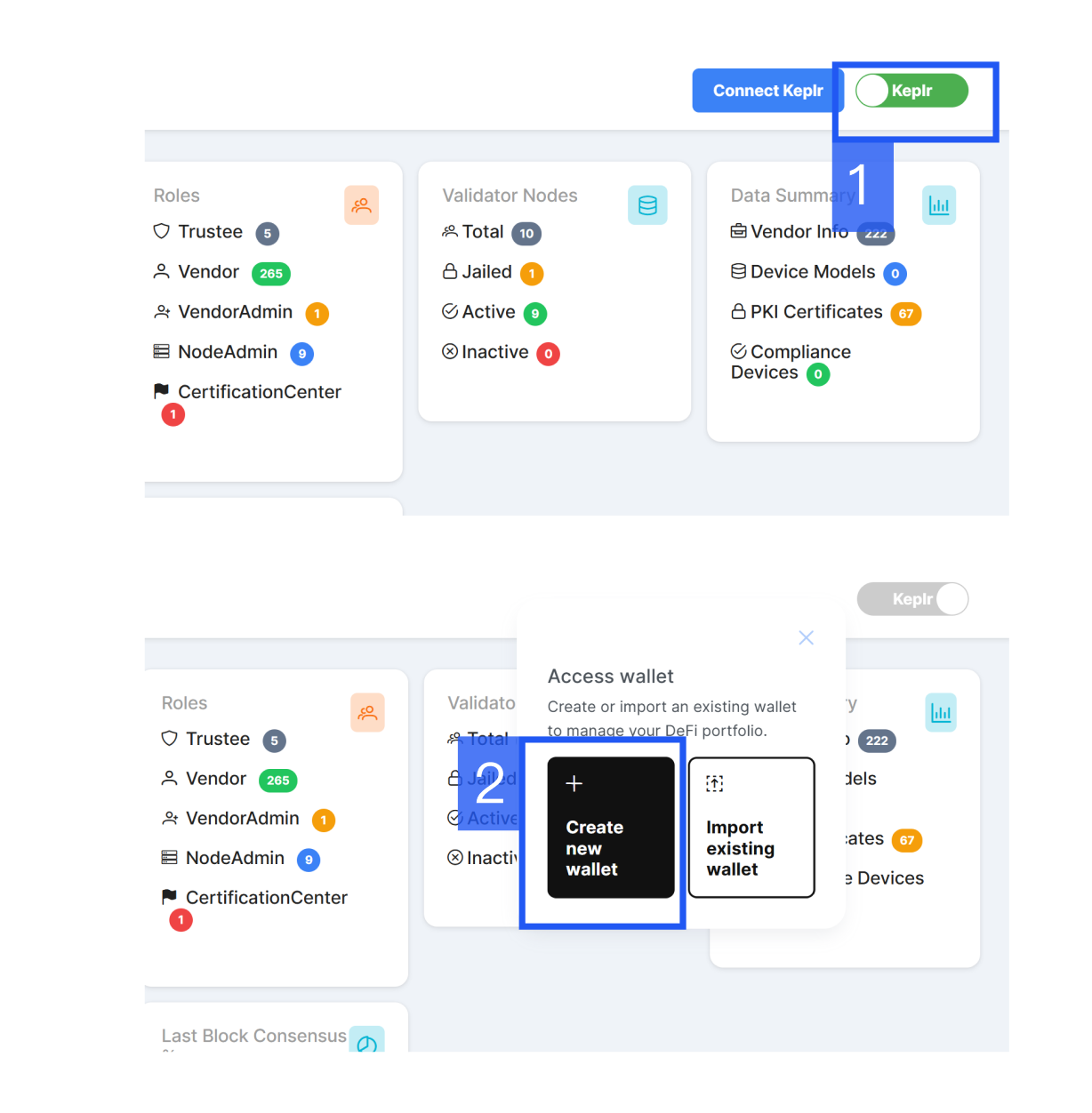
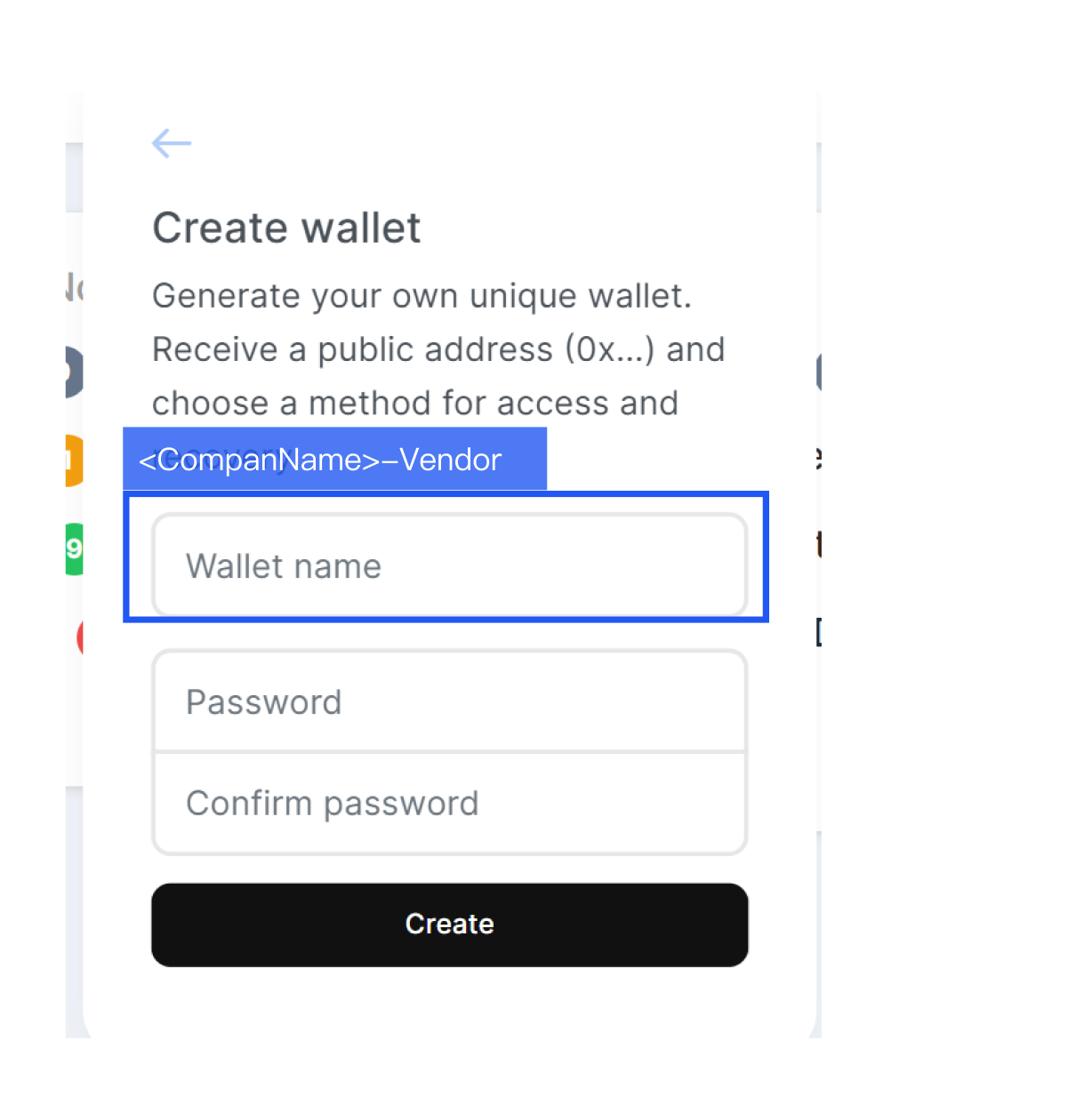
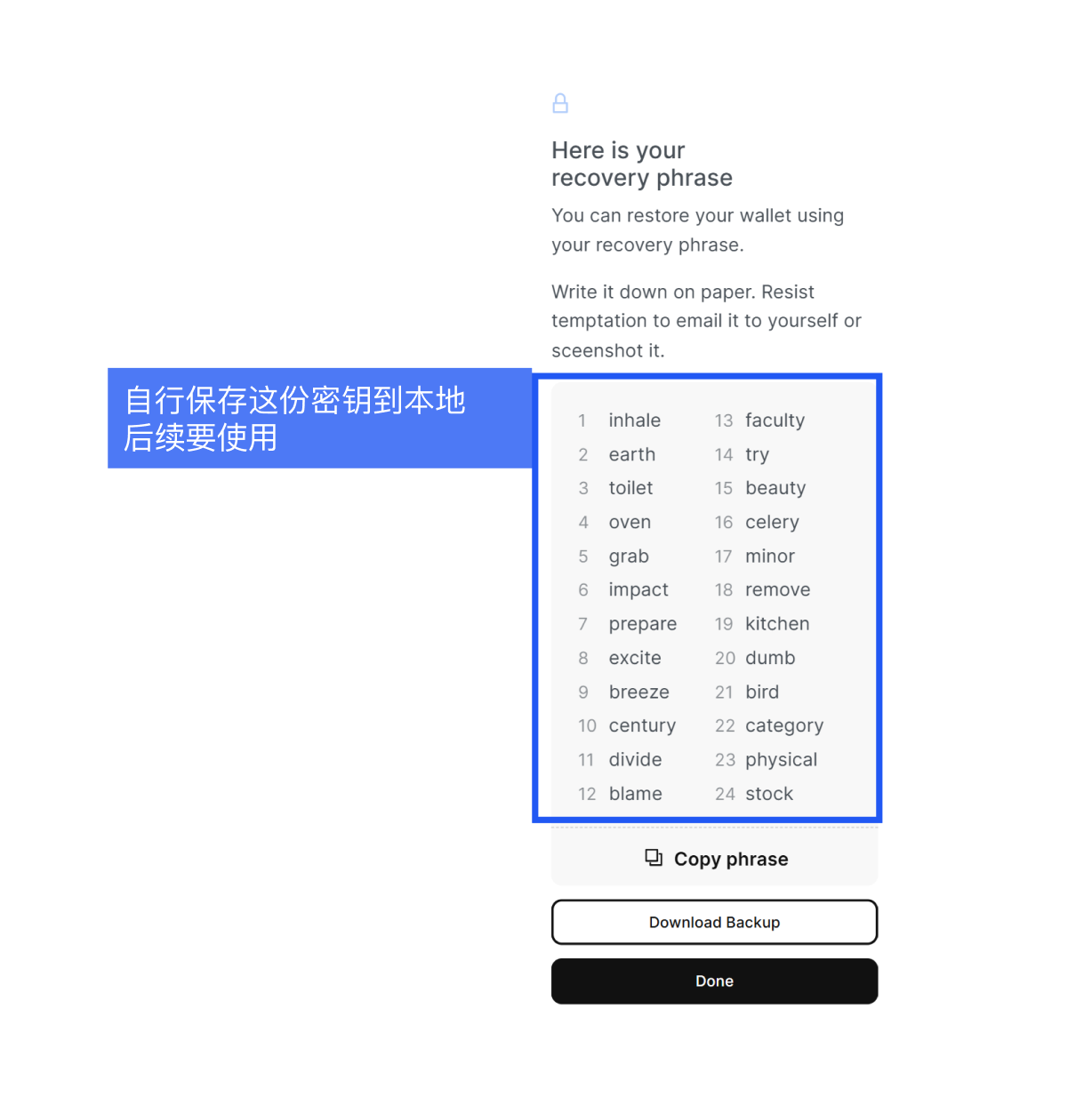
### 步骤一:创建钱包
1. 访问 [DCL WebUI](https://webui.dcl.csa-iot.org/)
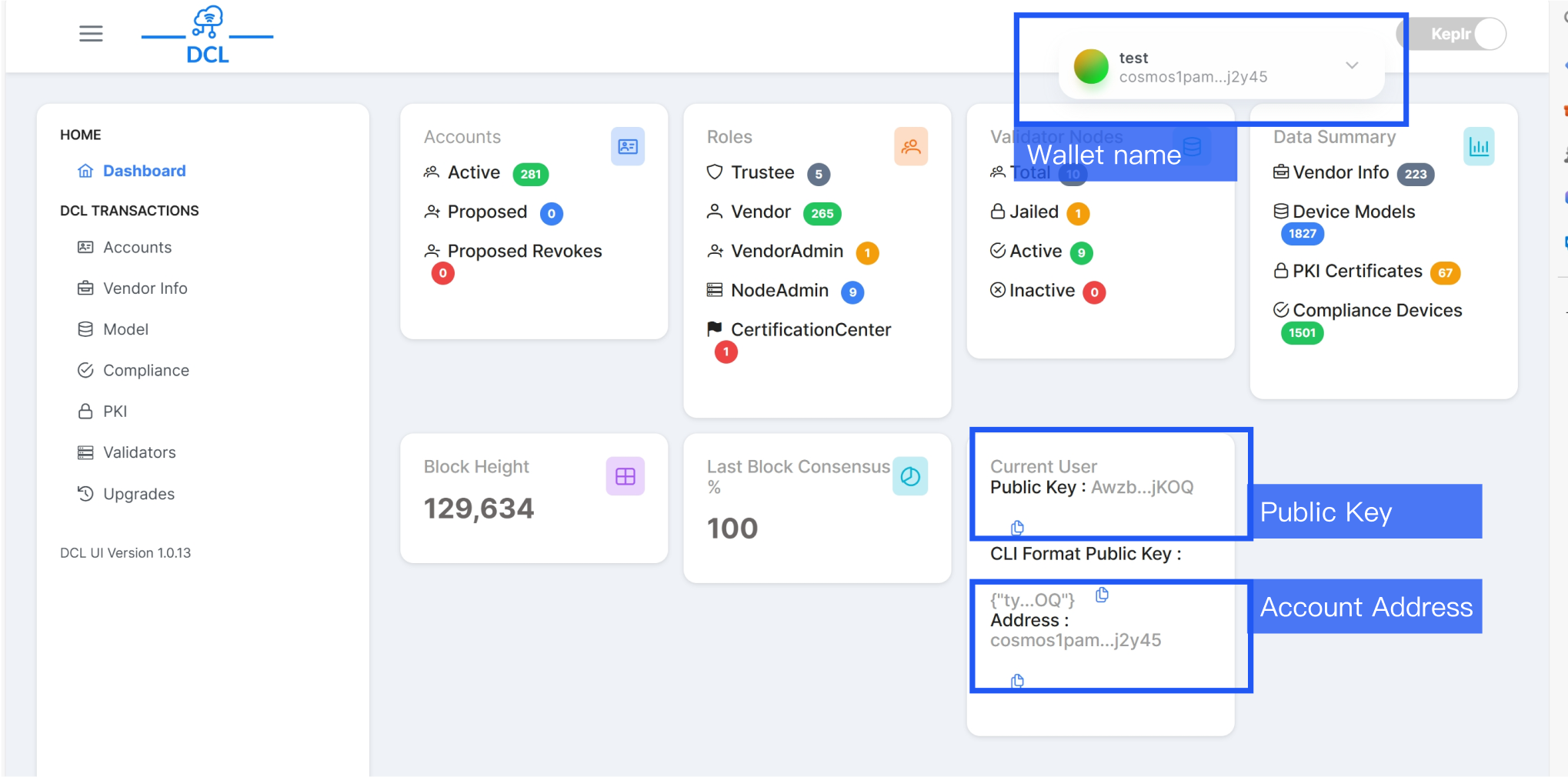
2. 创建钱包,保存钱包名称、密钥、账户地址、公钥
DCL 底层基于 [Cosmos 生态](https://cosmos.network/),需要使用者通过钱包来连接,目前 DCL 指定的钱包为 [Keplr](https://www.keplr.app/),[查看如何注册并使用钱包](https://webui.dcl.csa-iot.org/keplr-wallet)。
 ### 步骤二:申请 DCL 账号
1. 登录 [CSA 网站](https://zigbeecertifiedproducts.knack.com/zigbee-certified#associate-certification-tool/) 填写DCL账户申请
### 步骤二:申请 DCL 账号
1. 登录 [CSA 网站](https://zigbeecertifiedproducts.knack.com/zigbee-certified#associate-certification-tool/) 填写DCL账户申请
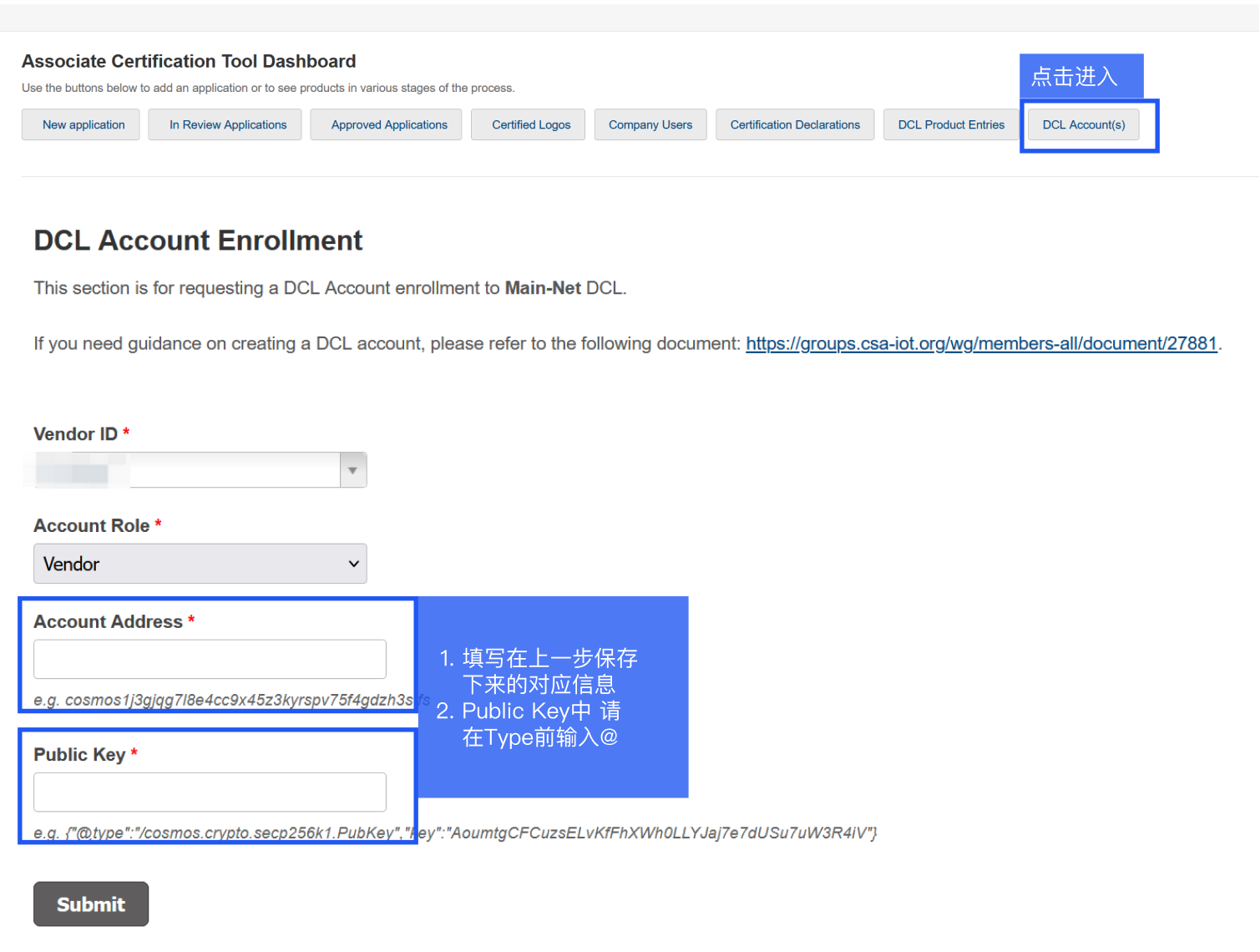 2. 提交申请后,请耐心等待1至2个工作日,随后登录CSA网站查询您的申请状态。若状态持续显示为审批中,您可通过发送邮件至 [dcl-admin@csa-iot.org](mailto:dcl-admin@csa-iot.org)
联系CSA工作人员进行咨询,或在邮件中附上注册请求,内容包括您的账户Name、Vendor ID、Address、Public key,以便加快处理进程。
3. 申请获得审批通过后,您可以登录DCL平台。若不慎遗忘登录密钥,可利用在CSA网站上申请DCL账户时所使用的Email及Account Address进行登录验证。
TODO 完成审批之后 DCL 界面上的不同之处
### 步骤三:添加供应商
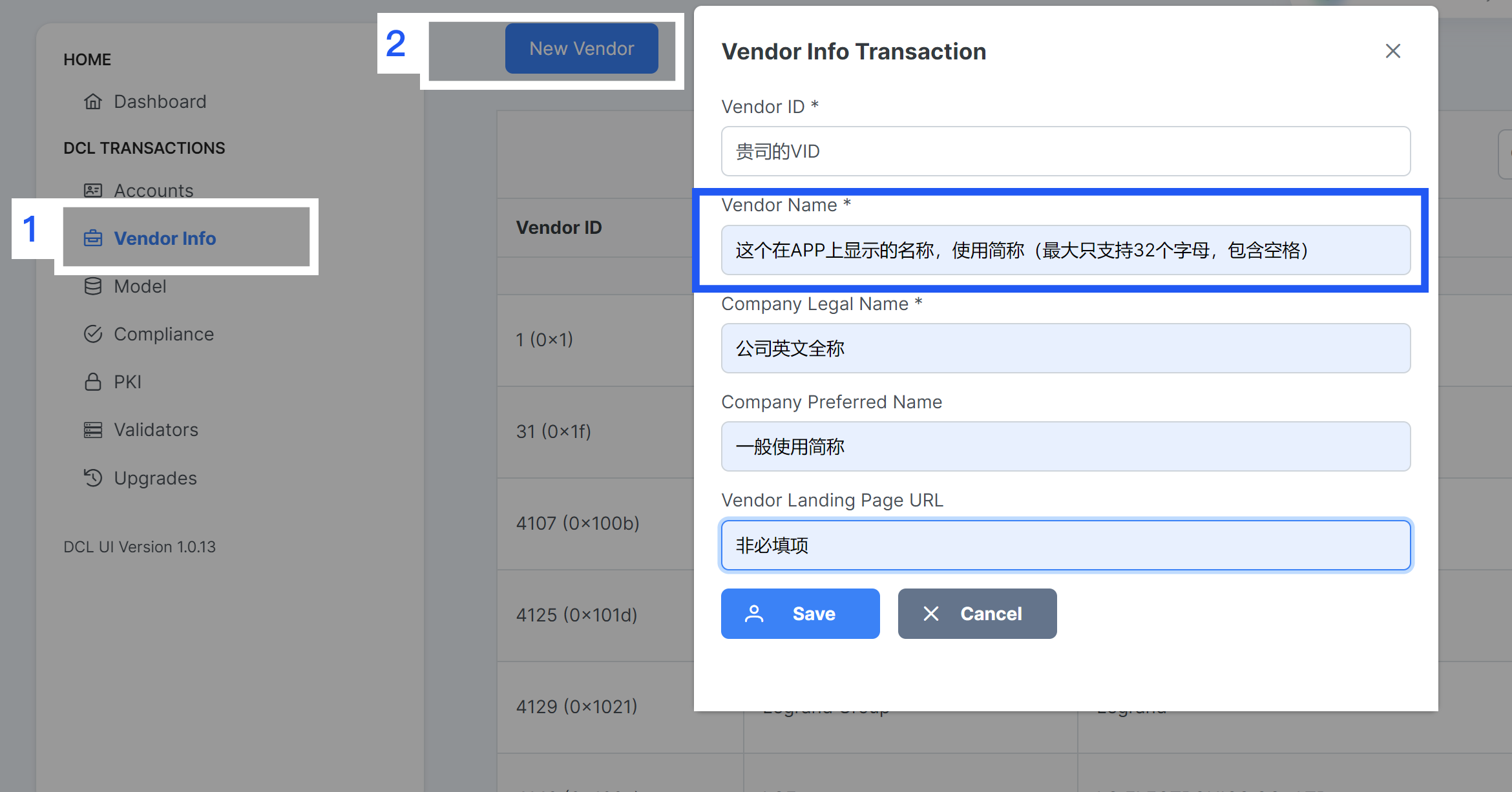
1. 选择Vendor Info --> New Vendor
2. 填写 VendorlD 、Vendor Name 、Company Legal Name、Company Preffered Name、Vendor Landing Page URL,保存 Vendor Info Transaction 信息。
2. 提交申请后,请耐心等待1至2个工作日,随后登录CSA网站查询您的申请状态。若状态持续显示为审批中,您可通过发送邮件至 [dcl-admin@csa-iot.org](mailto:dcl-admin@csa-iot.org)
联系CSA工作人员进行咨询,或在邮件中附上注册请求,内容包括您的账户Name、Vendor ID、Address、Public key,以便加快处理进程。
3. 申请获得审批通过后,您可以登录DCL平台。若不慎遗忘登录密钥,可利用在CSA网站上申请DCL账户时所使用的Email及Account Address进行登录验证。
TODO 完成审批之后 DCL 界面上的不同之处
### 步骤三:添加供应商
1. 选择Vendor Info --> New Vendor
2. 填写 VendorlD 、Vendor Name 、Company Legal Name、Company Preffered Name、Vendor Landing Page URL,保存 Vendor Info Transaction 信息。
 ### 步骤四:添加新模型
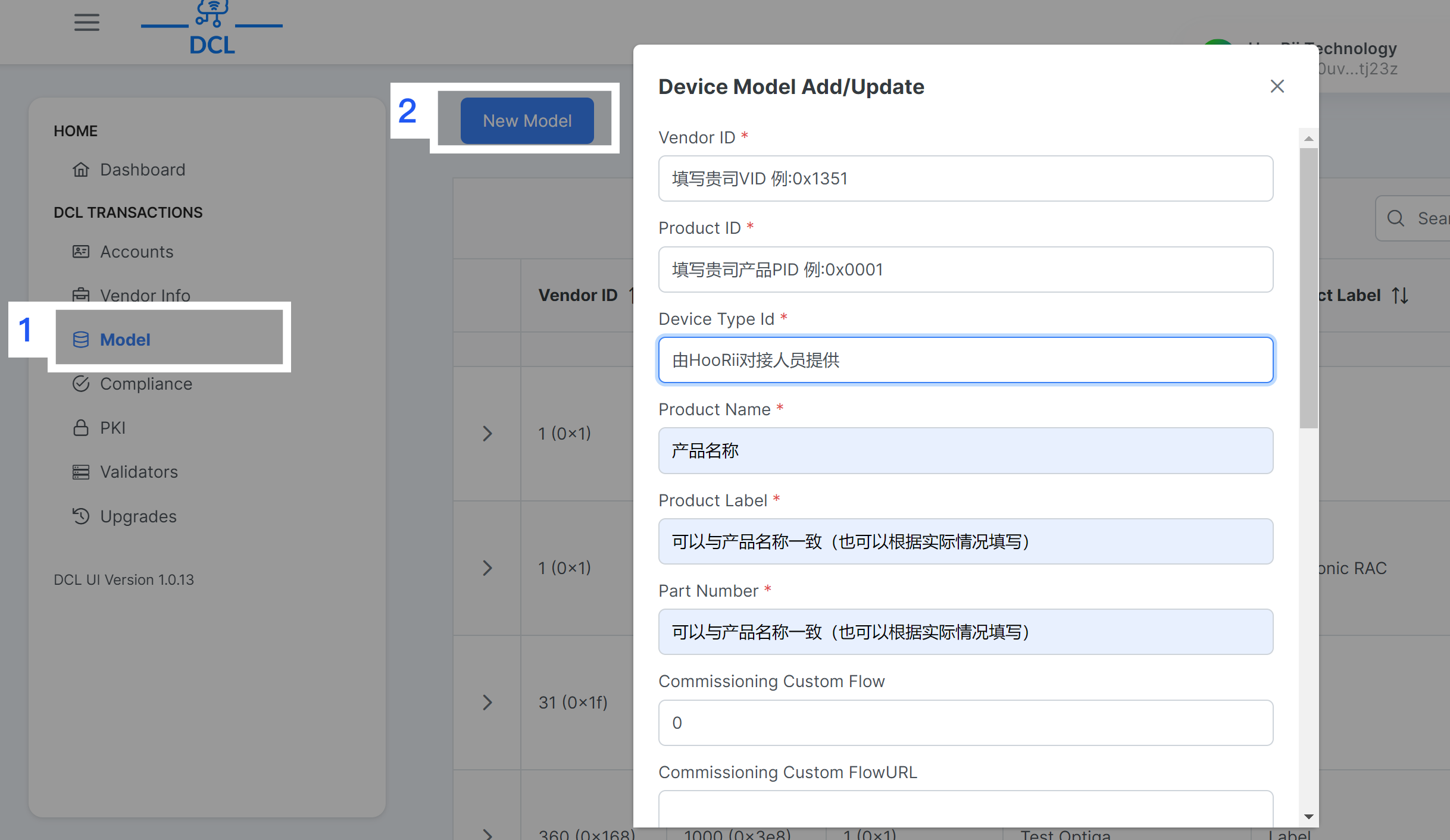
1. 新建模型,选择 Mode --> New Model
2. 填写 VendorlD 、Product lD 、Device Type ld 、Product Name、Product Label 、Part Number、Commissioning Custom Flow、Commissioning Custom FlowURL
### 步骤四:添加新模型
1. 新建模型,选择 Mode --> New Model
2. 填写 VendorlD 、Product lD 、Device Type ld 、Product Name、Product Label 、Part Number、Commissioning Custom Flow、Commissioning Custom FlowURL
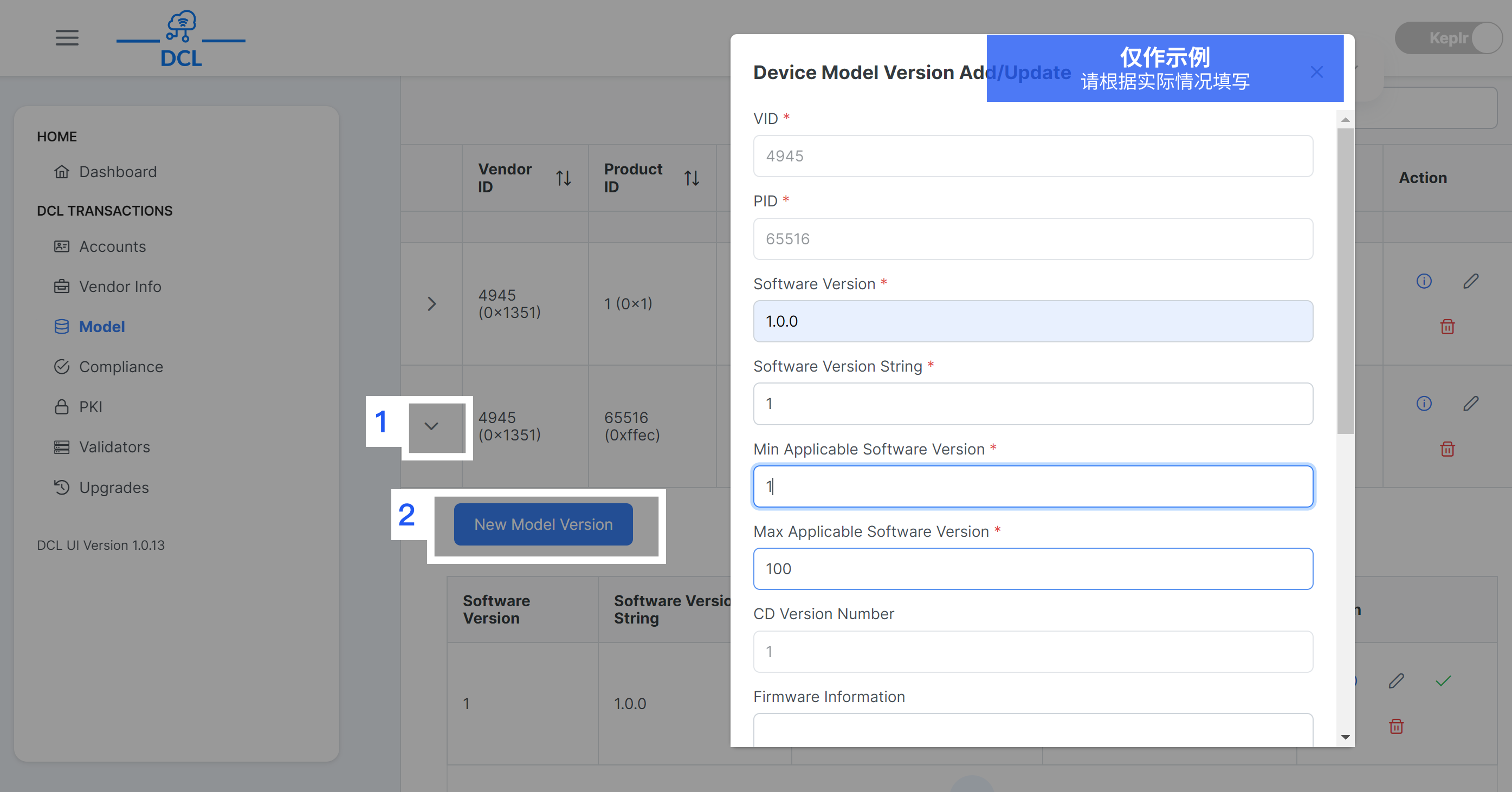
 ### 步骤五:添加新模型的版本
1. 新建版本,选择 Mode --> New Model Version
2. 填写 VID 、PlD 、Software Version、Software Version String、Min Applicable Software Version、Max Applicable Software Version
在填写Model Version信息时,请确保数据与原证书完全一致,如有任何疑问,请直接咨询HooRii对接人员以获取准确信息。
### 步骤五:添加新模型的版本
1. 新建版本,选择 Mode --> New Model Version
2. 填写 VID 、PlD 、Software Version、Software Version String、Min Applicable Software Version、Max Applicable Software Version
在填写Model Version信息时,请确保数据与原证书完全一致,如有任何疑问,请直接咨询HooRii对接人员以获取准确信息。
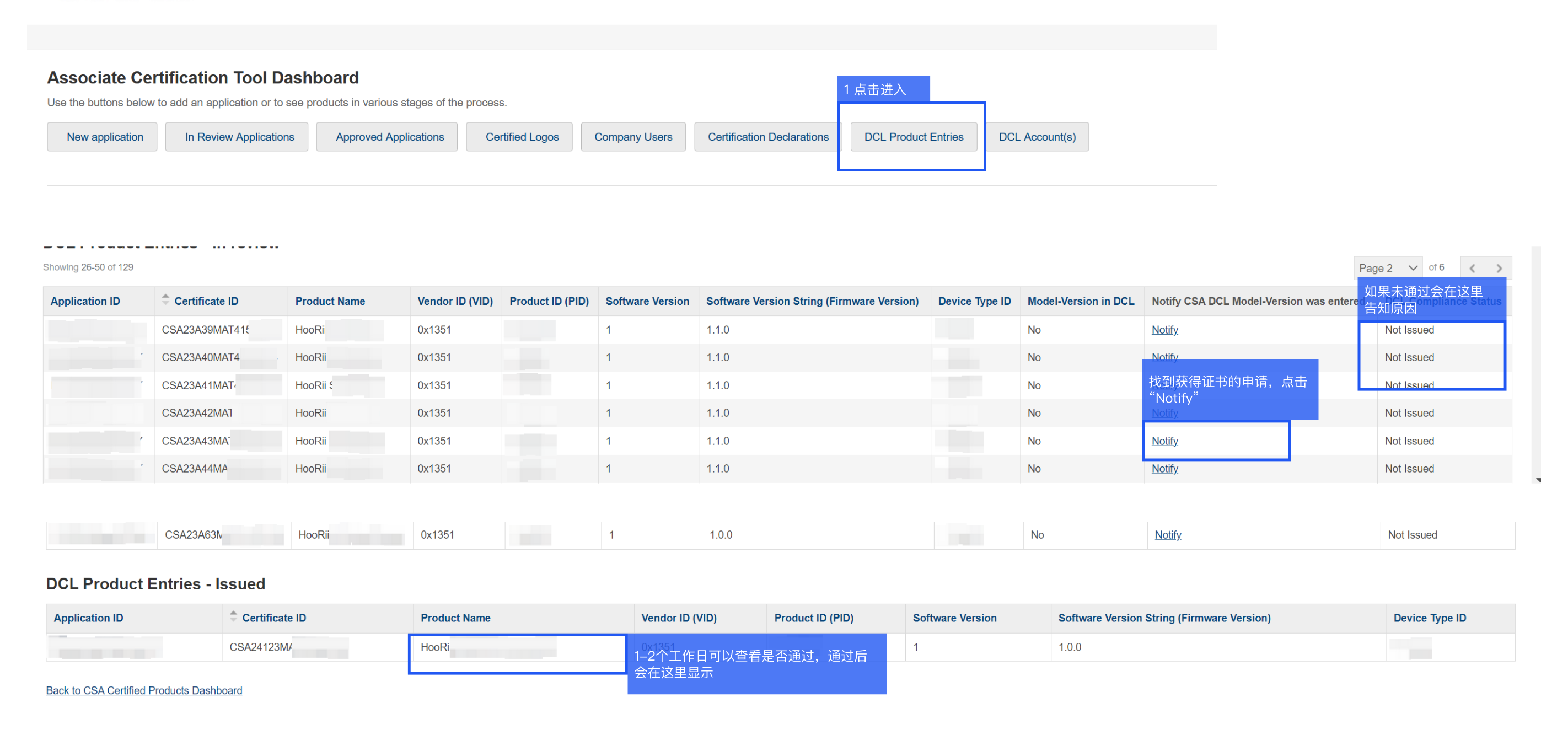
 ### 步骤六:通知 CSA Model Version
1. 登录 [认证工具](https://zigbeecertifiedproducts.knack.com/zigbee-certified#associate-certification-tool/certification-declarations/)
2. 首页点击"DCL Product Entries" > 找到对应产品 > 点击"Notify"
3. 等待1-2个工作日查看"Issued DCL Product Entries"列表,审核通过会展示在其中
### 步骤六:通知 CSA Model Version
1. 登录 [认证工具](https://zigbeecertifiedproducts.knack.com/zigbee-certified#associate-certification-tool/certification-declarations/)
2. 首页点击"DCL Product Entries" > 找到对应产品 > 点击"Notify"
3. 等待1-2个工作日查看"Issued DCL Product Entries"列表,审核通过会展示在其中